
Every homeowner in the Greater Toronto Area is quite familiar with this strange feeling, which usually happens on the worst winter days. It’s an unusually cold February evening, and you enter the living room. You head over to the wall unit to check the temperature after pulling your sweater tighter. The screen boldly states that the temperature is a comfortable 22 degrees Celsius. Your trembling hands, however, convey a completely opposing signal. Take a deep breath before you start worrying about costly repairs. Your heavy equipment may not be the issue at all. It’s highly likely that all you need to do is calibrate your home’s thermostat sensors.
The beating heart of the heating and cooling system is your thermostat. The body can’t function correctly if the brain is confused about the temperature. In our climate, which fluctuates between humid summers and bone-dry winters, an incorrectly calibrated device is more than just an inconvenience. Your bank account is immediately depleted.
We constantly address this problem at Heat Flow HVAC. When we receive emergency calls for allegedly “broken” thermostat systems, we discover that the sensor is faulty and the equipment is in good condition. We’ll walk you through the process of fixing this on your own today. We will go over the precise procedures for calibrating and fixing all thermostat models from the most popular brands found in homes in Ontario, including Ecobee, Google Nest, and Honeywell.
Why Your Home Thermostat Is Lying to You
You may be thinking about how a digital device could incorrectly determine the temperature. Even though it is simple to believe that electronics will always be flawless, this is untrue. Thermostats move around. There are a few reasons why it occurs, and knowing them will help you keep the problem from recurring.

Gravity is frequently your enemy if you have an older mechanical device with a dial. These devices make use of a mercury switch and a bimetallic coil. The thermostat’s physics fail, and the reading drifts if it is bumped and no longer perfectly level. Another culprit is dust. Dust accumulates inside the housing after years of use, insulating the sensor. The thermostat responds to temperature changes more slowly as a result.
There are various flaws with contemporary smart thermostats. They are susceptible to changes in power even though they lack mercury switches. The internal voltage references may be affected if a dead battery is left in the device for an extended period of time. The internal offset may occasionally be reset by a software update. However, location is the main factor we observe in the GTA. In Etobicoke and Toronto, many of our houses are older. Their wall cavities are drafty. The back of the sensor is impacted by cold air that moves behind the drywall if your thermostat is mounted on a wall. The thermostat continues to blast heat because it believes your home is freezing. You are perspiring on the couch in the interim. To fix this, you must calibrate thermostat settings to account for that specific wall’s behavior.
The Tape Test: Verify Before You Calibrate Your Thermostat
We prioritize facts over emotions. You must demonstrate that the thermostat is inaccurate before you begin tampering with hidden menus or factory resets. Because humidity deceives us, you cannot rely on your skin. At 21 degrees, a dry room feels colder than a humid one.
To obtain a scientific baseline, use the “Tape Test” as follows:
- Get a trustworthy thermometer: An outdated dial thermometer should not be used. Make use of a good digital room thermometer.
- Tape it to the wall: The most crucial step is to tape it to the wall. The thermometer should not be held in your hand. The reading will be immediately skewed because your body temperature is 37 degrees. Next to your thermostat, tape the thermometer to the wall.
- Isolate it: Place a small folded paper towel behind the thermometer so it isn’t touching the cold plaster or drywall directly. You want to measure the air temperature, not the wall temperature.
- Wait 20 minutes: Walk away. Let the thermometer stabilize.
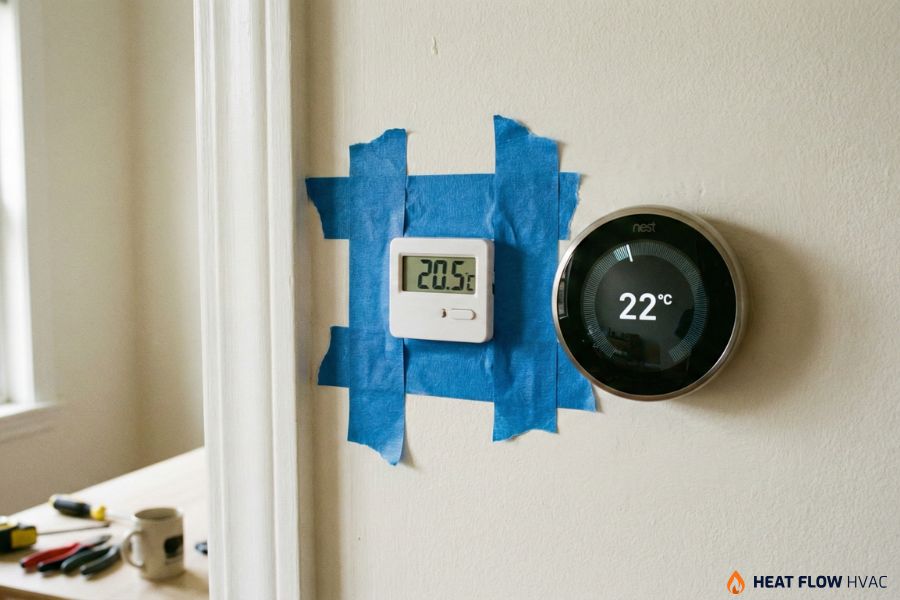
Come back and check the difference. If your separate thermometer reads 21.5°C and your wall unit reads 22°C, you are fine. That half-degree difference is normal. But if your reference says 20°C and your thermostat says 23°C, you have a 3-degree variance. That is huge. That means your furnace is shutting off way too early. Now you know you need to calibrate thermostat offsets to close that gap.
How to Calibrate Thermostat Models: A Brand-by-Brand Guide
Every manufacturer handles this differently. We are going to break down the steps for the three most common systems we install and service.
How to Calibrate Ecobee Thermostats
We love Ecobee because it is a Canadian company and it understands our need for precision. They make calibration very accessible. You cannot do this from your phone app, though. You have to get off the couch and go to the wall unit.
Stand in front of your Ecobee thermostat and tap the Menu button. Select Settings and then look for Installation Settings. Inside that menu, you will see Thresholds. Tap that and look for Temperature Correction.
This is where the magic happens. If your tape test showed the room is actually 2 degrees colder than the screen says, you drag the slider to minus 2. If the room is hotter than the screen says, you adjust it upwards. The screen will change instantly to match your reference thermometer. For more deep dives on Ecobee thresholds, you can check the Ecobee support documentation.
How to Calibrate Google Nest Thermostats
Google Nest thermostat units are brilliant at learning your schedule, but they can be a bit stubborn about manual calibration. Google relies on algorithms more than manual sliders. Often, a “wrong” reading on a Nest is actually caused by the unit heating itself up. The internal Wi-Fi chip generates heat. If the battery is weak, the chip works harder and gets hotter, throwing off the temperature sensor.
First, check the Sunblock feature. If direct sunlight hits your Nest, it will think the room is scorching hot. Go to Settings and then Nest Sense. Make sure Sunblock is turned ON. This tells the Nest to ignore those solar spikes.
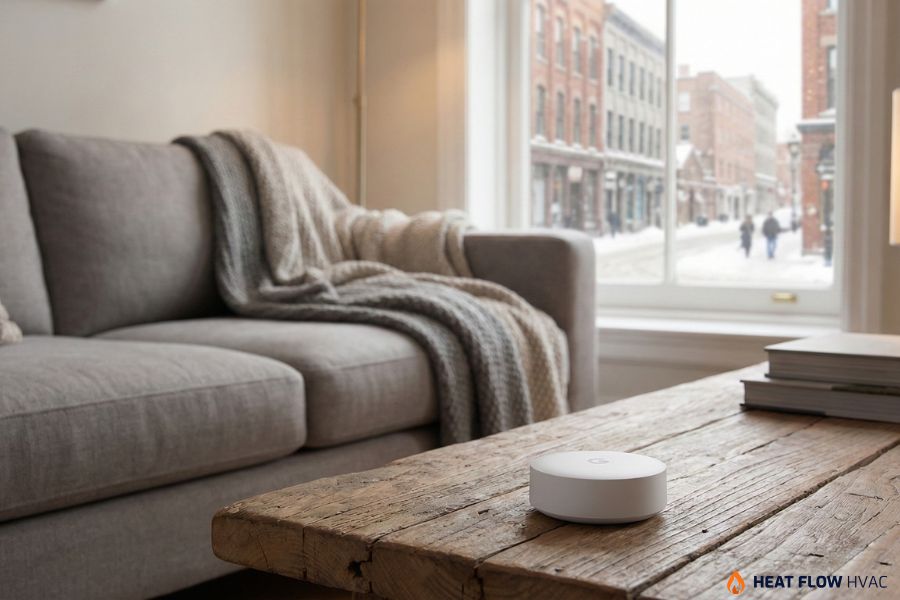
If you still need to adjust the numbers, go to Settings and select Equipment (or sometimes Technical Info, depending on the generation). You might find a Safety Temperature or Offset option there. However, many Nest users find the best way to fix a persistent error is to use a Nest Temperature Sensor. You place this separate puck in your living room and tell the main unit to ignore its own sensor and listen to the puck instead. This effectively bypasses the calibration issue entirely. You can read more about Sunblock and sensors on the Google Nest Help page.
How to Calibrate Honeywell Thermostats
Honeywell is the giant of the industry. They have hundreds of models, so let’s cover the two main types.
For Digital Touchscreens (T-Series, VisionPro):
The calibration setting is hidden in the Installer Setup or ISU menu. You usually access this by pressing and holding the Menu button (or the center text) for 5 seconds until the screen changes completely, and you will see a list of numbers. You need to find the specific ISU code for “Indoor Display Offset”. On many T-series models, this is code 0300 or TO. Once you find it, you can toggle the temp up or down to match your tape test. Be careful in this menu, as you do not want to change your furnace staging settings by accident. You can find the full list of ISU codes in the Honeywell T-Series manual.
For Analog (Round Dial) Models:
Believe it or not, we still see these in Toronto homes. Calibration here is mechanical. You pull the cover off. You will see a mercury vial or a magnet coil. If the thermostat is not perfectly level, the mercury slides to one side and gives a false reading. Use a bubble level and loosen the screws on the wall plate. Rotate the thermostat until it is dead level and tighten it back up. If it is still wrong, the coil is likely worn out. Honestly, if you still have one of these, please call us. It is time to upgrade to a digital unit that will save you money.
When Calibrating the Thermostat Isn’t The Real Problem
There are times when you calibrate thermostat settings perfectly, and the number on the wall matches your thermometer exactly, but you still feel uncomfortable. This is where things get tricky. This is usually not a sensor problem. It is an environmental one.
Humidity is the biggest ghost factor in the GTA. In January, the air in your home gets incredibly dry. Dry air evaporates moisture from your skin very quickly, which makes you feel cold. So 21 degrees feels like 18 degrees. You keep turning the heat up to compensate, wasting gas. The solution here is not calibration. It is hydration. You likely need a whole-home humidifier to add moisture back into the air. Once the humidity is balanced, 21 degrees will feel warm again. Check out our humidifier services to see how this works.
Another problem is drafts. Calibration won’t help if your bedroom is freezing, but your thermostat is in a warm hallway. The thermostat is operating as intended, but it is unaware that your bedroom is chilly. This is a problem with airflow balancing. You may need to inspect your insulation or change the dampers in your ductwork.
Troubleshooting “Ghost Loads”
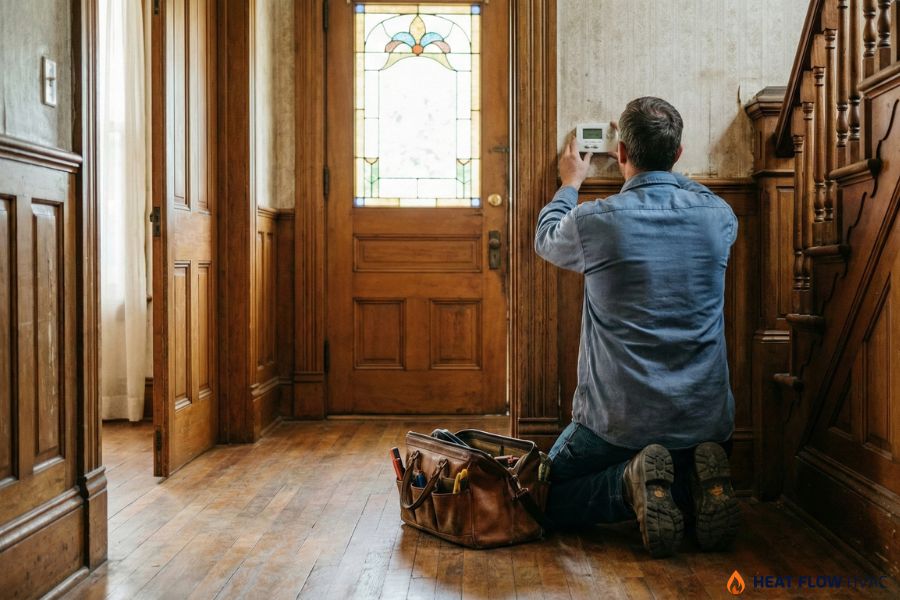
Before you give up and book a service call, look around your thermostat for “ghost loads.” These are external factors that trick the sensor.
Is there a lamp directly beneath the thermostat on a console table? The lightbulb’s heat rises directly into the sensor. Is your large flat-screen television fixed to the wall beneath it? Surprisingly, electronics produce a lot of heat. We also observe problems when the sun strikes the thermostat every day at 4 PM. The thermostat thinks the house is boiling and turns off the heat. The remainder of the house, which is in the shade, begins to freeze in the meantime. To obtain an accurate reading, you must remove these heat sources.
Do You Calibrate the Thermostat or Replace?
It can be hard to know when to fiddle with settings and when to just buy a new unit. We made this simple table to help you decide.
| Symptom | Likely Culprit | Best Solution |
|---|---|---|
| Temp is consistently off by 1-3 degrees | Sensor Drift | Calibrate thermostat using the offset menu. |
| Temp fluctuates wildly in minutes | Drafts in the wall | Seal the hole behind the thermostat with putty. |
| The screen is blank or fading | Power Issue | Check the C-wire or replace batteries. |
| An analog dial is inaccurate | Mechanical Failure | Replace with a digital model. |
| Short cycling (on/off rapidly) | System Issue | Check the filter first, then call us for repair. |
The Benefits of Expert Thermostat Installation for Your HVAC System
We adore the do-it-yourself mentality. However, we also know that a minor installation error can result in years of frustration. There is more to installing a smart thermostat than just plugging it in. In order to prevent your Wi-Fi radio from overheating the sensor, we seal the wall penetration to prevent drafts and make sure the Common Wire (C-wire) is providing a constant voltage. Additionally, we configure the “differential” settings, which specify the maximum temperature drop before the heat is activated again.
If these differentials are too tight, your furnace cycles on and off all day, wearing out parts. If they are too loose, you feel uncomfortable with temperature swings. We configure these deep settings to match your specific home and furnace type during our regular furnace maintenance visits.
Get Accurate Comfort in Your Home By Calibrating the Thermostat
At Heat Flow HVAC, we look at the whole picture. We diagnose the airflow, the humidity levels, and the equipment performance to ensure you get the comfort you are paying for. If you are tired of guessing what the temperature actually is, reach out to us. We will help you get your system calibrated, optimized, and running perfectly. Ready to stop shivering? Contact Heat Flow HVAC today for expert service in the GTA.